
User acquisition teams often operate across multiple campaigns, creatives, ad networks, and data sources. The information is typically scattered across dashboards such as Meta, Google, and others, which forces managers to switch between interfaces just to assemble a full view of performance. This fragmentation becomes a bottleneck once operations reach any meaningful scale.
Data can be consolidated through Zapier or n8n using the Google Sheets API, or through the native automation layer in Google Sheets: Google Apps Script. It requires no hosting or complex setup, is available through Google Workspace, and can be extended with LLM-generated code.
Step one: Setting up Google Sheets as a base
Google Sheets includes an automation tool called Apps Script. It runs inside the sheet and requires just JavaScript code and API keys. There is no separate hosting or infrastructure to maintain, aside from basic DevOps work around managing API keys.
For code generation, Claude is generally more reliable than ChatGPT, especially for longer scripts. Claude Code is currently one of the most effective tools for small automation projects of this type. However, there is also Cursor and the newly released Google Antigravity, both worth considering.
Claude Code provides a terminal-style interface that can modify files directly on the local machine, without the need to copy code back and forth from the chat. This interface can simulate command-line workflows and push changes to GitHub, which makes debugging faster and more convenient.
The workflow is iterative: a human proposes an idea, the AI writes code, the human tests it, and if something breaks, the AI updates the implementation. Version control is handled through GitHub and Clasp, with the deployed Apps Script code serving as the source of truth. Claude Code can automatically push changes to GitHub and Clasp, so you can test changes in Apps Script within seconds while keeping a full version history in GitHub. Apps Script’s native versioning exists, but it is far less convenient.
The development process is more prompt-driven than strictly engineered. The script pulls data from Appodeal’s BI and other relevant platforms with APIs, such as Appgrowth, Appsflyer, and Sensortower. The sheet refreshes every 30 minutes and applies custom logic and calculations. Comments, notes, and new metrics can be added directly in the sheet.
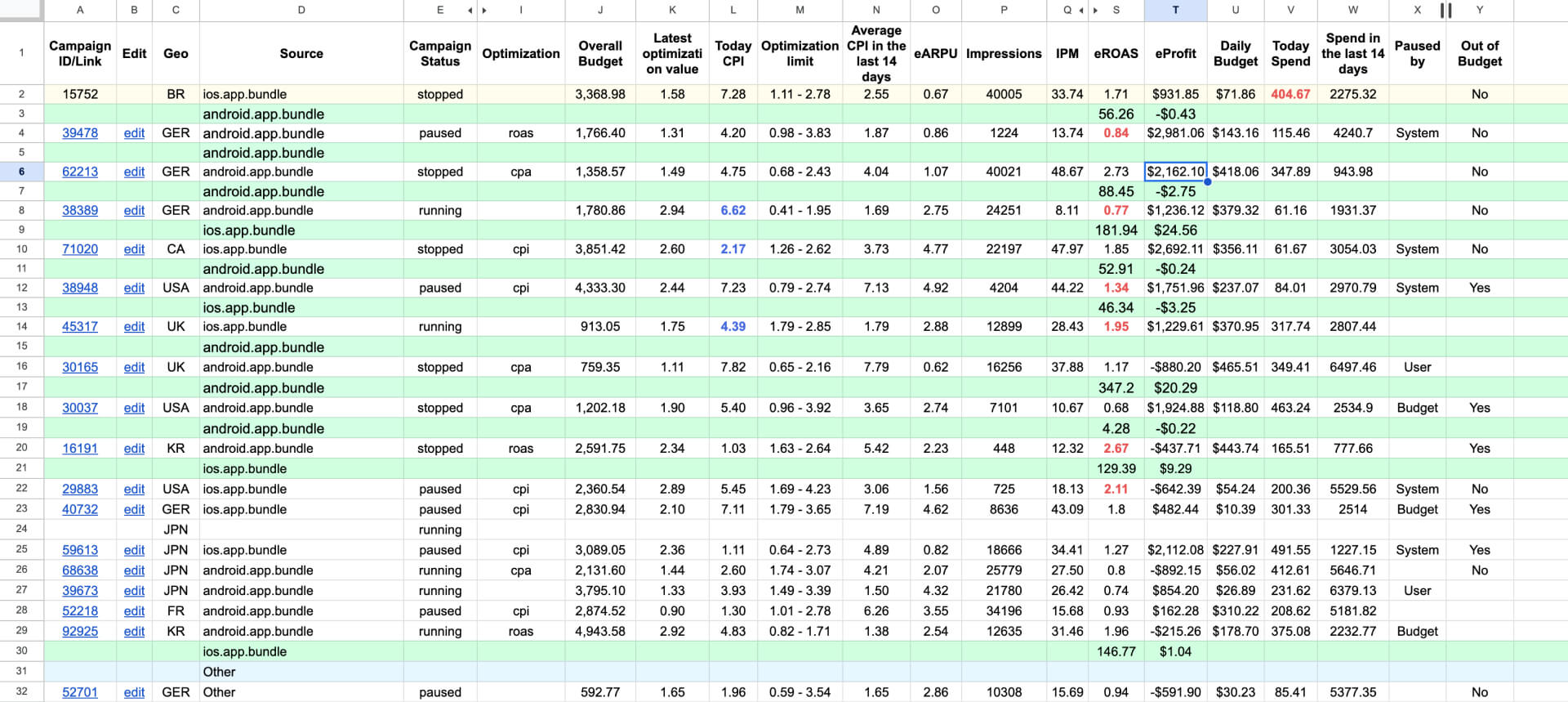
A unified UA dashboard, refreshed automatically and extended with custom logic
The system works across different workloads, from larger teams to solo UA managers. It can also help indie developers, as long as the ad platform provides an API to fetch and structure their data. For Sasha, it is the framework that allows him to manage hundreds of campaigns independently.
Step two: Control from inside the sheet
Once the data is centralized, the next step is to enable direct control. If you connect the sheet back to campaign APIs, you can adjust bids or settings directly and push those changes automatically.
You can also use Apps Script to create a convenient menu directly inside a specific Sheet, which allows you to launch different functions of the script attached to that document.
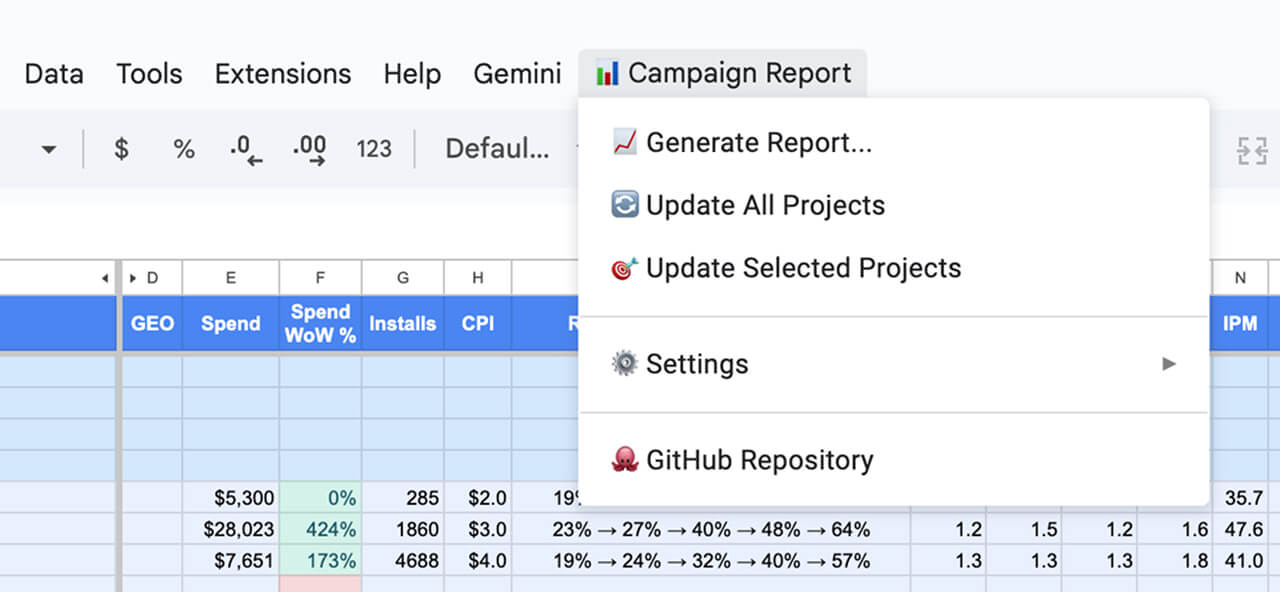
An integrated Apps Script menu for controlling campaigns directly from Google Sheets
For a UA manager switching between Facebook, Unity, and other platforms, this reduces operational overhead and frees time for analysis and planning. It also enables bid automation based on targets for each specific network, app, or segment.
Automating weekly reporting
Weekly reports can be automated in the same way. What used to be pulled manually can now be handled by the dashboard. You can track weekly deltas, link changes to campaign actions, and generate summaries for leadership.
The sheet can be generated by the script with a predefined structure, formatting, and color-coding. In this case, the table is created from scratch every morning so that all data stays current, while comments are cached.
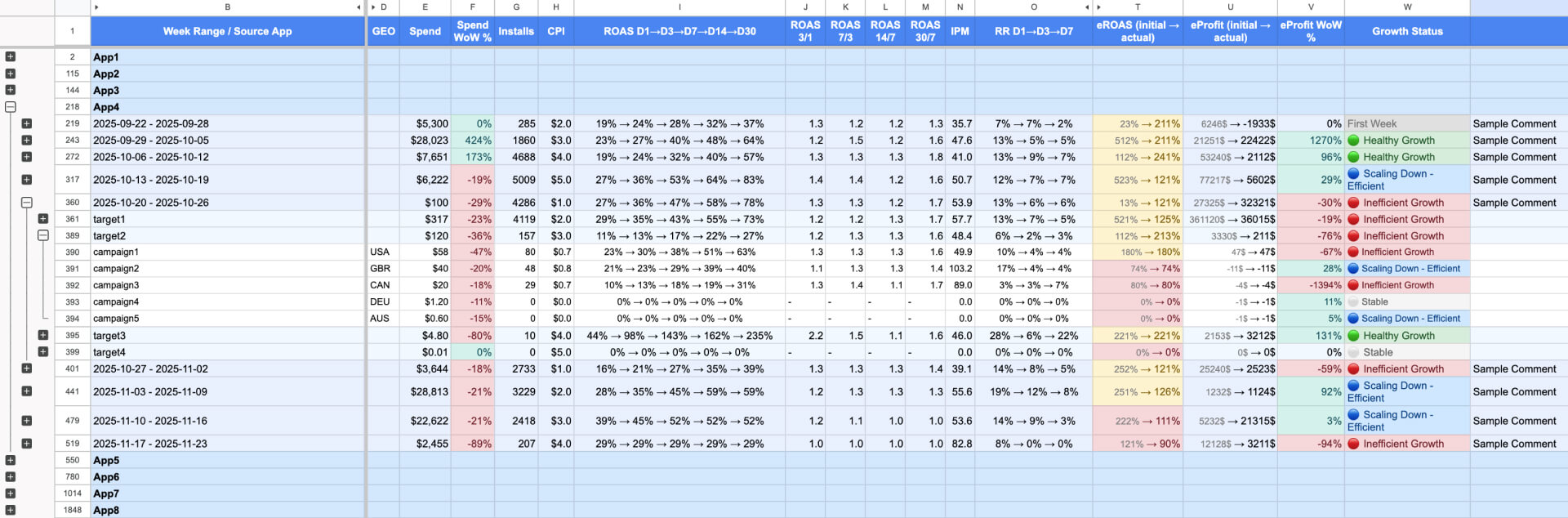
Flexible automated reporting is supported
Outside UA
The same principle applies beyond UA. If your data is spread across different tools like fitness apps, finance trackers, or subscription services, you can export it, load it into Sheets, organize it by time, and script whatever view you need.